
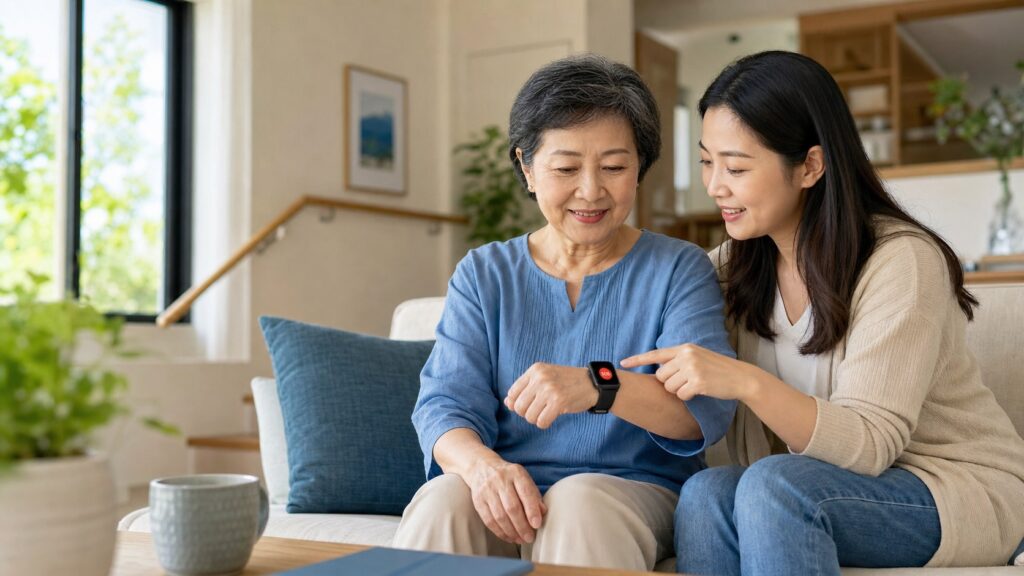
Quick Answer for Caregivers
A smartwatch with SOS or fall-alert features can be part of a wider safety routine, but it is not an emergency response service or a medical device unless the specific product is authorized for that purpose. Test settings, contacts, connectivity and the wearer’s ability to use the device before relying on it.
Caregiver FAQ
What should families test first?
Confirm the SOS workflow, emergency contacts, charging routine, Bluetooth or cellular connection where applicable, and whether the wearer can activate the feature comfortably.
Can a smartwatch replace medical or emergency care?
No. It is a consumer safety and communication tool. For urgent situations, contact local emergency services and follow professional medical guidance.
Source Notes
For general fall-prevention information, consult the CDC fall prevention resources.
When an older parent lives alone or wants to stay active and independent, families often look for a practical way to stay connected without making everyday life feel monitored. A smartwatch with fall detection for seniors can add a useful layer of support by combining motion sensing, an SOS button, location sharing and calling features on the wrist.
It is important to set realistic expectations. A smartwatch cannot prevent every fall, detect every emergency or replace professional medical care. What it can do is make it easier for an older adult to ask for help and, on supported devices and networks, alert selected contacts when a possible hard fall is detected.
Why fall planning matters for older adults
The U.S. Centers for Disease Control and Prevention reports that more than one in four adults aged 65 and older falls each year. A previous fall, lower-body weakness, vision problems, certain medicines and hazards around the home can increase risk. That makes fall planning a sensible family conversation even when a parent is currently healthy and independent.
A watch is only one part of that plan. Home lighting, secure rugs, appropriate footwear, medication review, vision checks and strength or balance activity are equally important. The World Health Organization physical activity guidelines encourage older adults to stay active and include balance-focused activity when mobility is limited.
How smartwatch fall detection works
Most fall-detection watches use an accelerometer and gyroscope to look for a pattern that may resemble a hard fall: rapid movement, a sudden impact and limited movement afterward. If the software identifies a possible fall, the watch may vibrate, sound an alarm or display a prompt asking whether the wearer is okay.
If the wearer does not respond within a defined period, some models can call an emergency contact, send an alert through a companion app or share the watch location. The exact behavior depends on the product, phone connection, mobile network, app permissions and subscription plan.
No consumer algorithm is perfect. A quick arm movement can occasionally create a false alert, while a slow slide from a chair may not be detected. Families should treat automatic fall detection as a backup—not as a guarantee.
Fall detection versus an SOS button
Automatic fall detection is intended for situations in which the wearer may be unable to press a button. A senior smartwatch with an SOS button lets the wearer request help deliberately when feeling dizzy, lost or unsafe, even if no fall occurred. For many families, the most practical choice is a watch that offers both.
Explore our smartwatches with SOS functions when comparing emergency-contact options. Always check the individual product specification because alert behavior varies by model.
Seven features families should compare
1. Simple, reachable SOS control
The emergency control should be easy to find by touch and difficult to trigger accidentally. Confirm how many contacts can be stored and whether the watch calls, texts or only sends an app notification.
2. GPS and location sharing
A GPS smartwatch for elderly parents can help a trusted family member identify the watch’s location during an alert. GPS is especially relevant for an active senior who walks outdoors. Indoor accuracy may be lower, and location sharing should be configured with the wearer’s knowledge and consent.
3. Calling without complicated steps
Bluetooth calling may require a nearby paired phone. A cellular watch may communicate independently but can require a SIM, compatible carrier and paid plan. If the goal is a fall detection watch for an elderly person living alone, verify what happens when the phone is in another room or powered off.
4. Clear display and comfortable fit
Large text, strong contrast, clear icons and an adjustable strap matter more than a long list of menus. The watch must fit securely enough for its sensors to work while remaining comfortable for all-day wear.
5. Practical battery life
An uncharged watch cannot send an alert. Compare realistic battery life with GPS, calling and health tracking enabled. A simple charging routine is often more valuable than a slightly larger feature list.
6. Water resistance
Falls can happen in bathrooms, so water resistance is useful. However, an IP rating does not automatically mean the watch is suitable for hot showers, saunas, swimming or pressurized water.
7. Privacy and caregiver access
Decide who can see alerts and location data. Review app permissions, account security and the process for removing access. The older wearer should be part of these decisions whenever possible.
A caregiver setup checklist
- Add at least two trusted contacts. Confirm names and agree who responds first.
- Enable required permissions. Bluetooth, location, notifications and background activity may be necessary.
- Check connectivity. Understand whether alerts use Bluetooth, Wi-Fi, a SIM card or a paid service.
- Fit the watch correctly. It should sit securely above the wrist bone without being uncomfortably tight.
- Run a controlled test. Use the device’s test function or manually activate SOS—do not stage a real fall.
- Practice cancelling a false alarm. The wearer should know what the vibration, sound and countdown mean.
- Create a charging habit. Put the charger somewhere visible and check the battery before outings.
- Review the plan monthly. Test contacts and permissions after phone or network changes.
For an example combining GPS, Bluetooth calling and activity features, see the QX17 GPS smartwatch. Check the live specification and compatibility details before purchasing.
What about heart rate and blood oxygen?
Wellness readings can help a wearer notice general trends and discuss questions with a clinician. They should not be used to diagnose a condition or change medication. Wrist sensors can be affected by movement, skin contact, temperature, circulation and device fit.
Compare our smartwatches with blood oxygen measurement, while remembering that a consumer smartwatch is not a substitute for a medical pulse oximeter. Our related guide explains how health smartwatches can support senior wellness and safety.
Reducing false alarms and missed alerts
Wear the watch on the wrist selected in its settings and keep its software updated. Make sure emergency contacts allow calls and notifications from the watch or app. If false alarms occur repeatedly, check the fit and settings. If an expected alert does not arrive, review network coverage, phone pairing, permissions and battery status.
Frequently asked questions
Does smartwatch fall detection work without a phone?
Sometimes. A cellular model may work independently with an active compatible plan and signal. Bluetooth-only models usually need the paired phone nearby.
Can a senior smartwatch call family members?
Many models can call saved contacts, but some only send an app notification or message. Check whether calling uses Bluetooth or an independent cellular connection.
Is GPS necessary for an elderly person living alone?
GPS is valuable when location sharing during an alert is a priority, particularly outside the home. It does not guarantee precise indoor positioning.
What is the best smartwatch for elderly fall detection?
The best choice is the one the wearer can comfortably use every day. Prioritize reliable connectivity, an easy SOS control, clear alerts, battery life and compatibility over extra features.
Can a smartwatch diagnose a heart or blood-pressure problem?
No consumer smartwatch should be assumed to diagnose disease unless the specific feature is authorized as a medical device in your region. Seek professional medical advice for symptoms or unusual readings.
A practical safety layer, not a complete solution
A smartwatch emergency alert for seniors can make it easier to reach family and share useful information after a possible fall. Its value depends on correct setup, daily wear, charging habits and a clear response plan. Combine the device with home-safety improvements, suitable regular activity and professional healthcare advice.
Medical disclaimer: This article is for general educational purposes only. It does not provide medical advice, diagnosis or treatment. In an emergency, contact local emergency services immediately.
